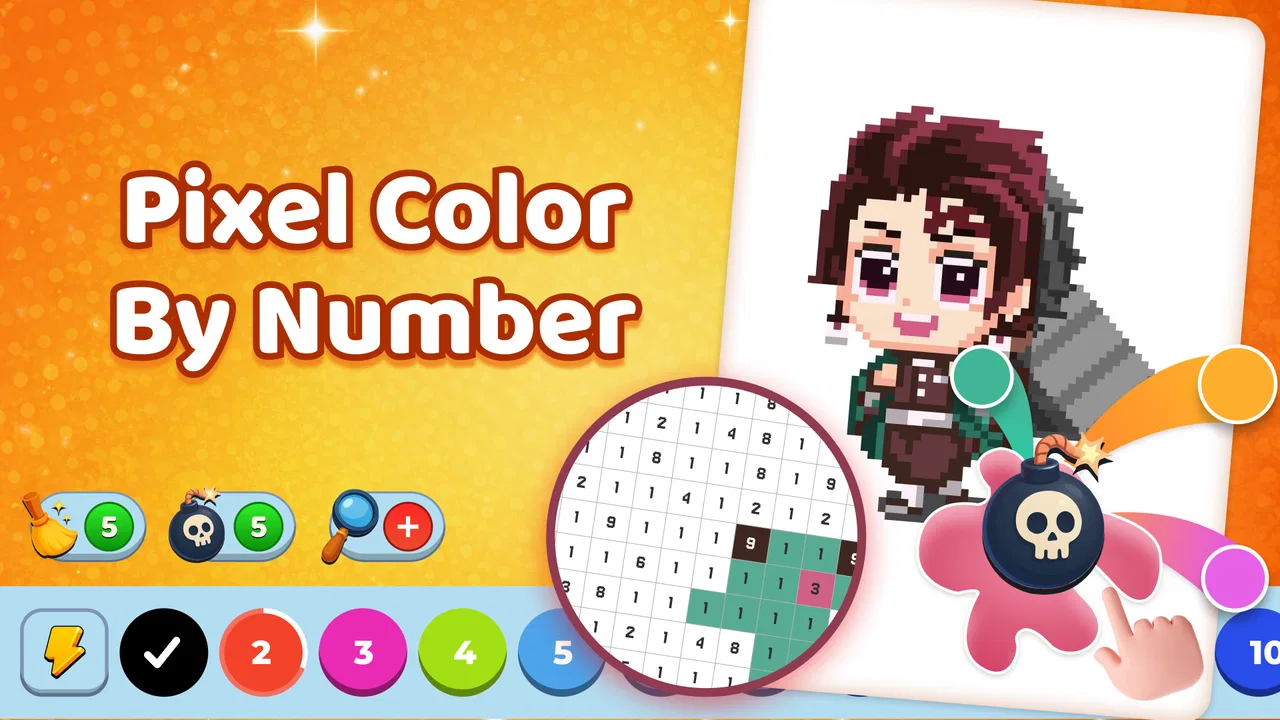
Colory - Color by Number
- 3.8
- Rating
- 500.00K
- Installs
- Free
- Price

 Analysis by App-foxy
I opened Colory - Color by Number expecting a simple way to turn spare minutes into something visual, and that is exactly where it makes the most sense. This free Android art and design app from SocBy takes a photo or another image as the starting point, converts it into a numbered pixel-style picture, and gives me a more guided alternative to drawing from a blank canvas. The appeal is not professional illustration; it is the small, satisfying workflow of choosing an image, filling areas, and ending with artwork that still resembles the original.
That distinction matters. I would recommend it to someone who enjoys coloring but does not want to plan every line, select every color, or learn a full drawing program. I would not put it ahead of a serious editor for layers, precise retouching, typography, or advanced composition. Colory is at its best when the goal is a relaxed creative activity with a personal starting point.
From an ordinary image to a finished pixel artwork
I find the most useful way to think about this section is as a small preparation step, not just the start of a coloring session: the image you choose sets the pace and shapes how clear the finished piece will feel. I’d look for a subject with a strong outline and enough contrast to remain recognizable after simplification. Next, I’ll focus on how that choice carries into the hands-on coloring process.
You May Also Like

 Blood Strike: 2.5 Anniversary
Blood Strike’s Loadouts Turn Every Drop Into a Tactical Gamble
A close look at Blood Strike’s custom loadouts: how fast access to signature weapons reshapes its battle royale rhythm, rewards preparation, and narrows the gap between fights.

 Pandora - Music & Podcasts
Pandora’s Music Is Easy to Start, but Harder to Recover
Pandora’s strength is its low-effort path from a seed to a station. Its weak spot is how much confidence it asks you to place in connection, setup, and quiet recovery.

 8 Ball Pool
 Is Built on Rivalries, Rematches, and Routine
A close look at the rivalries, rematches, shared routines, and unanswered safety questions that turn a quick pool match into a persistent mobile community.

 Samsung Music
’s Quiet Strength Is Playing What You Already Own
Its reach comes less from spectacle than from dependable access to a personal library. That simplicity is both the app’s strongest retention engine and its ceiling.

 AccuWeather: Weather Radar
AccuWeather Review: A Quick, Clear Forecast for Everyday Decisions
For everyday plans, the best forecast is the one you can understand quickly. AccuWeather makes rain timing, radar, and local conditions easy to act on, with a few trade-offs.

 Hill Climb Racing
Why Hill Climb Racing Still Turns Crashes Into One More Run
A tiny car, a bumpy hill and one more upgrade: Hill Climb Racing keeps resurfacing because its simple chaos makes every near-miss feel personal.
More From Our News Desk



The starting point: choosing something worth converting
The most useful way to approach Colory is to begin with a clear subject rather than a visually busy photograph. A pet sitting against a plain background, a recognizable object, a simple landscape, or a portrait with good separation between the person and the surroundings gives the numbered pattern a better chance of remaining readable. A crowded group photo can still be interesting, but the small details may become difficult to follow once the image is reduced into colored sections.
This is my first practical tip: choose the picture for its shapes, not merely for its emotional value. A meaningful photo with strong light and a simple outline is more enjoyable to color than a technically beautiful image filled with tiny textures. The app’s core idea depends on translating visual information into manageable areas, so contrast does more work than photographic detail.
Colory is also a better fit for users who want to participate in the transformation rather than simply apply a filter. A conventional photo editor can make an image look stylized in seconds, while this app turns the image into an activity. That extra step is the point, especially if you want a quiet break, a screen-based craft project, or a personalized image to share after working on it.
Importing and preparing the image
Once I have a suitable picture, the workflow is straightforward in concept: bring the image into the app and let it become a color-by-number design. The important handoff happens here. The original photo is no longer the final object; it becomes a map of areas that I need to understand and complete. That makes the initial choice more important than it might seem.
I would avoid starting with a picture where the subject blends into the background. If a dark shirt, dark wall, and dark hair all sit next to one another, the resulting sections can feel visually cramped. A brighter image with a clear focal point gives me a more satisfying route through the artwork. For portraits, cropping out unnecessary surroundings can help keep attention on the face. For objects, a centered composition usually works better than a scene with several competing subjects.
This is also where Colory differs from a blank drawing app. In a traditional sketching tool, I can rescue a weak composition by moving elements, painting over them, or building a new layer. Here, the source image largely determines the experience. The app gives me a guided interpretation rather than unlimited control, which is convenient for speed but restrictive for anyone who wants to redesign the picture from the ground up.
Following the numbers without losing the image
The coloring stage is the heart of the experience. Instead of deciding what to draw next, I follow the numbered areas and gradually replace the unfinished pattern with color. That structure removes much of the hesitation that often makes creative apps feel intimidating. I do not need to know color theory to begin, and I can concentrate on recognition, rhythm, and small progress.
My preferred approach is to work in passes. I first complete the larger, easier areas so the main subject starts to appear. Then I return to the smaller spaces and edges. This is more comfortable than chasing every tiny region immediately, because the image begins to provide context. A section that looked insignificant at the start can become obvious once the surrounding colors are in place.
A second useful habit is to pause when the picture looks almost finished rather than rushing the final details. Small numbered spaces near outlines can be easy to overlook, particularly when they sit beside similar shades. I find it better to scan the image methodically from one side to the other than to rely only on what catches my eye. That turns completion into a deliberate check rather than a guess.
The trade-off is that guided coloring can become repetitive. If you want spontaneous brushwork, expressive marks, or the ability to invent colors freely, the numbered structure may feel narrow. The same constraint that makes Colory approachable also limits experimentation. I see that as a design choice, not a flaw, but it should shape your expectations before you install it.
Managing the handoff from activity to finished artwork
The experience has two different rewards: the act of filling the sections and the final image. Those rewards are not identical. Someone may enjoy the calm repetition even if the finished picture is not suitable for printing or professional use. Someone else may care mostly about the final visual and find the coloring process too slow. Colory serves the first group especially well and gives the second group a more indirect route.
For an everyday example, imagine having a few minutes before an appointment. I could choose a photo of my dog, convert it into a numbered design, and complete a portion without needing to remember a complex toolset. Later, I could return to the same creative task and continue from the point where I stopped. The appeal is the low mental setup: the image supplies the subject, while the numbers supply the next action.
That workflow can also work for a parent and child, provided the child is comfortable with the device and the image is not too detailed. An adult can help choose a clear picture, while the child handles the more visible areas. It is less open-ended than drawing together on paper, but it offers a defined shared goal. For a solo user, it can function as a digital coloring book built from personal material rather than from a fixed collection.
The handoff from personal photo to shareable artwork is where I would stay realistic. A transformed image can be fun to show friends, use as a casual profile image, or keep as a small creative record. I would not treat it as a replacement for a dedicated photo editor when I need exact cropping, professional color correction, text, retouching, or export control. Colory’s value is the process that leads to the result, not a promise of studio-level finishing.
What the result feels like
When the main areas are complete, the original subject becomes easier to recognize through a blockier, more graphic treatment. That is the satisfying moment: the image stops looking like a collection of instructions and starts looking like a deliberate piece of pixel art. The result feels personal because I supplied the source, even though the app provides the structure.
I especially like this approach for images where a simplified appearance is an advantage. A pet’s face, a favorite object, or a travel scene can gain a poster-like quality when reduced to colored sections. The effect is less convincing when the source depends on subtle skin texture, tiny lettering, or delicate shadows. In those cases, the conversion may preserve the general subject while losing the details that made the photo special.
That limitation leads to another non-obvious tip: judge the finished piece at the same distance at which you expect to enjoy it. Up close, tiny gaps and blocky transitions may stand out. From farther away, the overall silhouette and color grouping often matter more. If the image is meant to be viewed on a phone, a strong central subject will usually be more rewarding than a wide scene packed with fine information.
Colory’s broad reach is reflected in its Everyone content rating, and I can see why the basic concept is approachable. It does not require artistic training, and the number-guided process gives beginners a clear entry point. Still, “easy to start” does not mean every image is equally easy to finish. The difficulty comes from the source picture and the density of its converted sections, so thoughtful image selection remains the user’s responsibility.
How it compares with familiar alternatives
Compared with a normal coloring-book app, Colory’s strongest difference is the personal input. Instead of selecting only from pre-made illustrations, I can begin with an image that already matters to me. That makes the activity more memorable, although it also means the quality of the experience depends more heavily on the chosen photo.
Compared with a pixel-art editor, it is much less demanding at the beginning. A pixel editor gives me control over every mark, palette decision, and shape, but it also asks me to create the image myself. Colory is better when I want a guided transformation and less suitable when I want to design characters, build scenes, or control every pixel manually.
Compared with a one-tap artistic filter, Colory is slower but more involving. A filter produces an immediate look; this app gives me a task and a sense of progress. If I need a finished image for a deadline, the filter is the practical choice. If I want an activity that occupies my attention and ends with a visual keepsake, the numbered workflow has more personality.
These comparisons also clarify who should skip it. Professional illustrators looking for layers and precision, photographers seeking detailed corrections, and users who dislike repetitive completion tasks will probably be happier elsewhere. Colory is not trying to replace those tools. It is aimed at the middle ground between passive image effects and fully manual drawing.
Where the workflow can break
The first possible failure point is the source image. If the picture is low in contrast, overloaded with detail, or poorly framed, the coloring stage may feel confusing rather than relaxing. I would test the app with a simple image before committing to a favorite photograph. That small trial tells me whether the conversion preserves the subject clearly enough to justify the time.
The second is patience. The numbered method creates order, but it can also make the work feel like a checklist. Users who want immediate results may lose interest before the picture develops. I would treat it as a short-session app rather than assuming every project needs to be completed in one sitting. Working in small sections makes the activity feel lighter and reduces the temptation to rush.
The third is expectation management around editing control. The app’s appeal comes from its guided process, so I would not install it expecting the flexibility of a full illustration suite. If I need to alter the composition, correct a specific facial feature, or create a custom palette from scratch, another category of tool is more appropriate. Colory works best when I accept the source image as the foundation and focus on completing its interpretation.
There is also a practical device question. Colory supports Android devices running version 7.0 or later, which covers a broad range of phones, but the experience will still depend on how comfortable the screen is for tapping small areas. A larger display can make detailed sections easier to follow, while a compact phone may be convenient for short sessions but less comfortable for extended coloring. I would choose images with fewer tiny regions when working on a smaller screen.
Who I would recommend it to
I would recommend Colory to casual creators, people who enjoy number-based coloring, and anyone looking for a personal alternative to pre-made digital coloring pages. It is also a sensible starting point for someone who feels that drawing apps are too open-ended. The free price removes the need to make a financial commitment before discovering whether the workflow suits you.
The app has reached over one hundred thousand installs and carries a 4.2 average from around thirty ratings, which suggests a modest but positive reception. I would read those figures as a reason to try it, not as proof that every user will have the same experience. The real question is whether you enjoy the exchange: you provide a suitable image, and Colory provides a structured coloring task.
SocBy’s current release is identified as vsb_1.0.1_7.3.5_9. I would keep the app updated through the normal store process, especially if I rely on it for ongoing projects, but I would judge it primarily by the central workflow rather than by expecting the breadth of a mature creative suite. Its identity is clear and focused.
My final take after following the complete workflow
Colory succeeds when I begin with a well-chosen image, allow the app to simplify it, and enjoy the gradual handoff from numbered pattern to recognizable artwork. The best result is not simply a picture that looks different from the original. It is the feeling that I spent time making something without having to overcome the blank-page problem.
The key decision is whether you want guided participation or instant editing. Choose Colory if the process matters and you like the idea of coloring personal images. Choose a conventional photo editor if speed and control matter more. Choose a pixel-art tool if you want to build every shape yourself.
For me, this is a focused, approachable art app rather than an all-purpose design workspace. Its limitations are closely tied to its charm: the numbered structure keeps the experience friendly, but it leaves less room for improvisation; the personal-image workflow feels distinctive, but a poor source photo can weaken the outcome. If those trade-offs sound acceptable, the free download makes Colory easy to test, and the first project should quickly reveal whether its calm, step-by-step style belongs in your creative routine.
FAQs for Colory - Color by Number
01What is Colory - Color by Number and how does it work?
Colory - Color by Number is a relaxing mobile app that allows users to engage in digital coloring by filling in numbered sections with corresponding colors. The app provides a variety of images to choose from, ranging from simple designs to complex illustrations, making it suitable for all ages. Simply select an image, follow the color guide, and watch your masterpiece come to life.
02Is Colory - Color by Number free to use?
Colory offers a free version with a selection of images to color. However, it also has a premium subscription that unlocks additional features such as exclusive images, ad-free experience, and access to all available coloring pages. Users can decide whether the extra features are worth the subscription, depending on their usage and preference.
03Can I use Colory - Color by Number offline?
Colory requires an internet connection to initially download the images and updates. However, once an image is saved to your device, you can continue coloring offline. This feature is particularly useful for users who want to enjoy coloring without worrying about connectivity, making it a great option for travel or places with limited internet access.
04Are there any age restrictions for using Colory - Color by Number?
Colory is designed to be user-friendly for all age groups, from children to adults. Its simple interface and wide range of images cater to varying skill levels. Parents can feel confident allowing their children to use the app, as it promotes creativity and relaxation without exposure to inappropriate content.
05How often does Colory - Color by Number update its content?
The app regularly updates with new images and features to keep users engaged. These updates include seasonal themes, trending topics, and user-requested additions. By frequently adding fresh content, Colory ensures that users always have new and exciting projects to work on, enhancing the overall coloring experience.
Pros
- Easy-to-use interface for all ages.
- Wide variety of images to color.
- Regular updates with new content.
- Offline mode available for convenience.
- Stress-relief through creative activity.
Cons
- Contains ads that can interrupt experience.
- Limited free content; some require purchase.
- Occasional app crashes reported.
- Large file size may affect storage.
- Battery consumption can be high.

Colory - Color by Number
Gallery